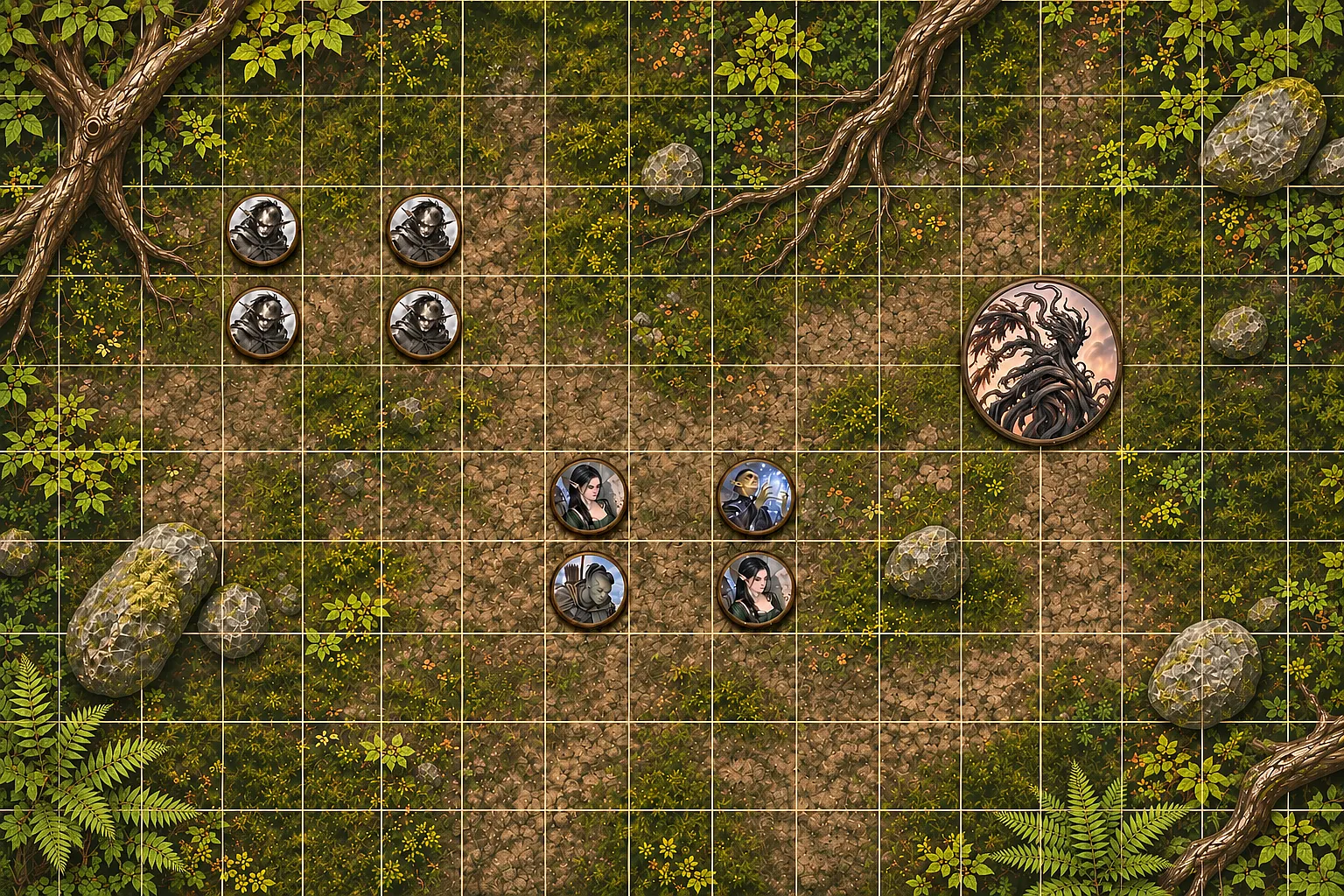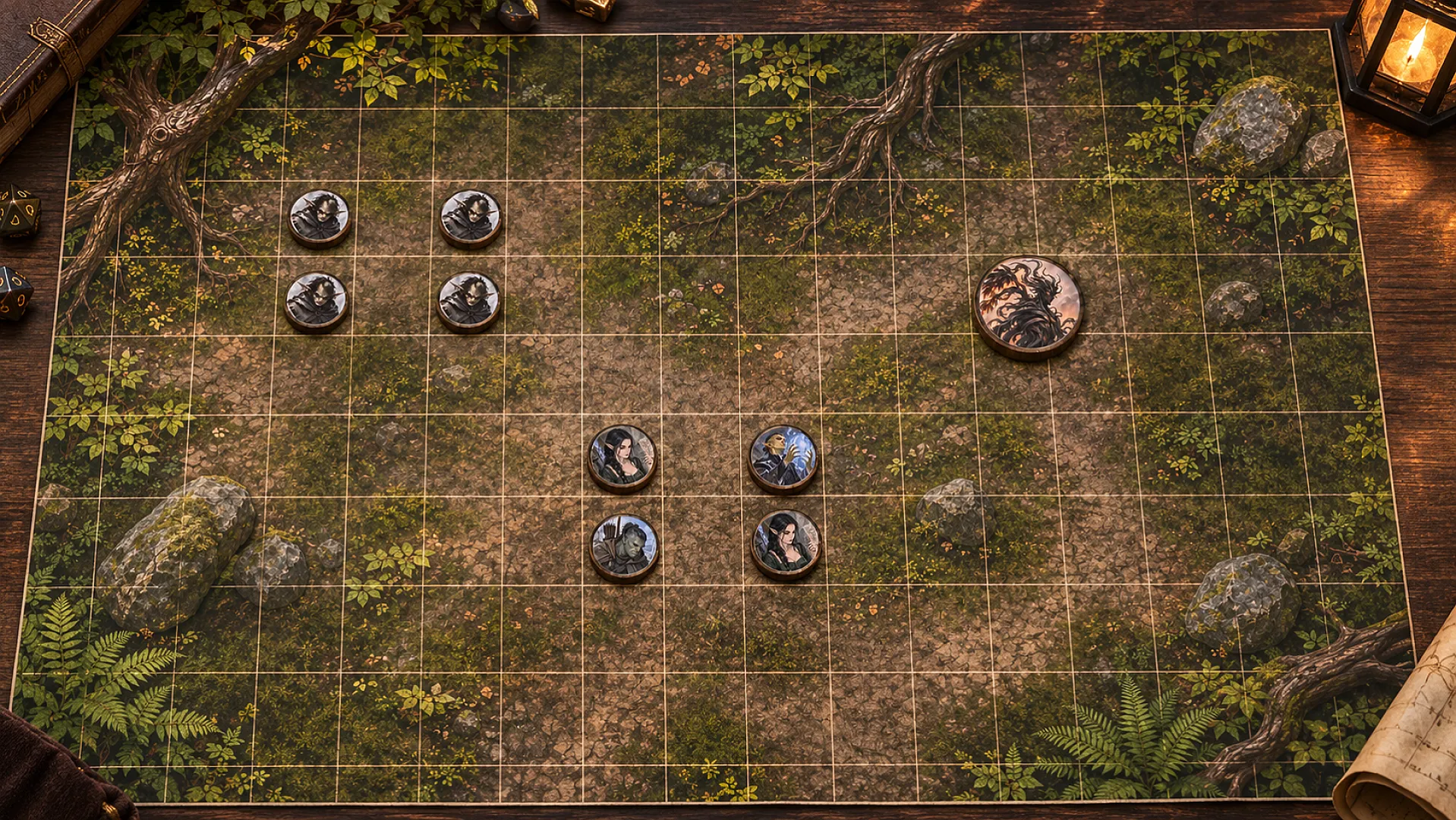
By the end of this you'll have a PDF of paper tokens for your next session, made from your own characters, NPCs and monsters. Each one is sized for a 1 inch battle grid. Print it, cut along the rings, and they're ready for the table.
All you need is one creature with a picture on its Artwork tab. If you haven't made one yet, start with the character art guide and come back. Player characters, NPCs and monsters can all be printed as tokens.
Make a token picture
A token prints from a token picture, which is your art redrawn as a round token inside a painted ring. You make it once from a picture you already like.
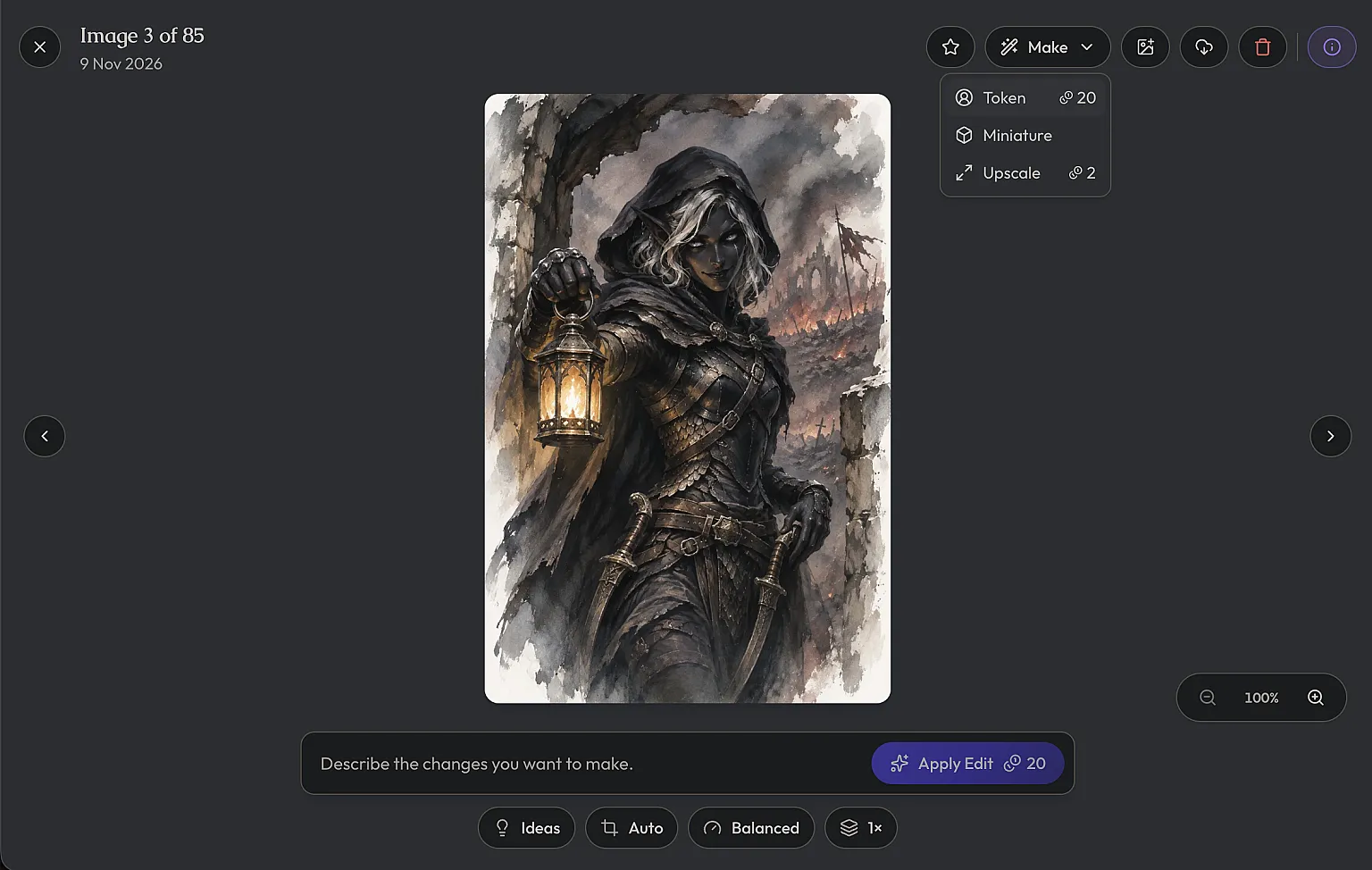
Open the creature's Artwork tab and tap the picture to open it. In the Make menu, pick Token. On a phone it's Make token in the overflow menu. The credit cost is shown next to it before you commit.
It takes a moment while it says "Making a token". You get the creature from the chest up, inside a ring painted in the same art style as the picture. Everything outside the ring is transparent, so the token sits cleanly on any background. It lands in the gallery next to the original.
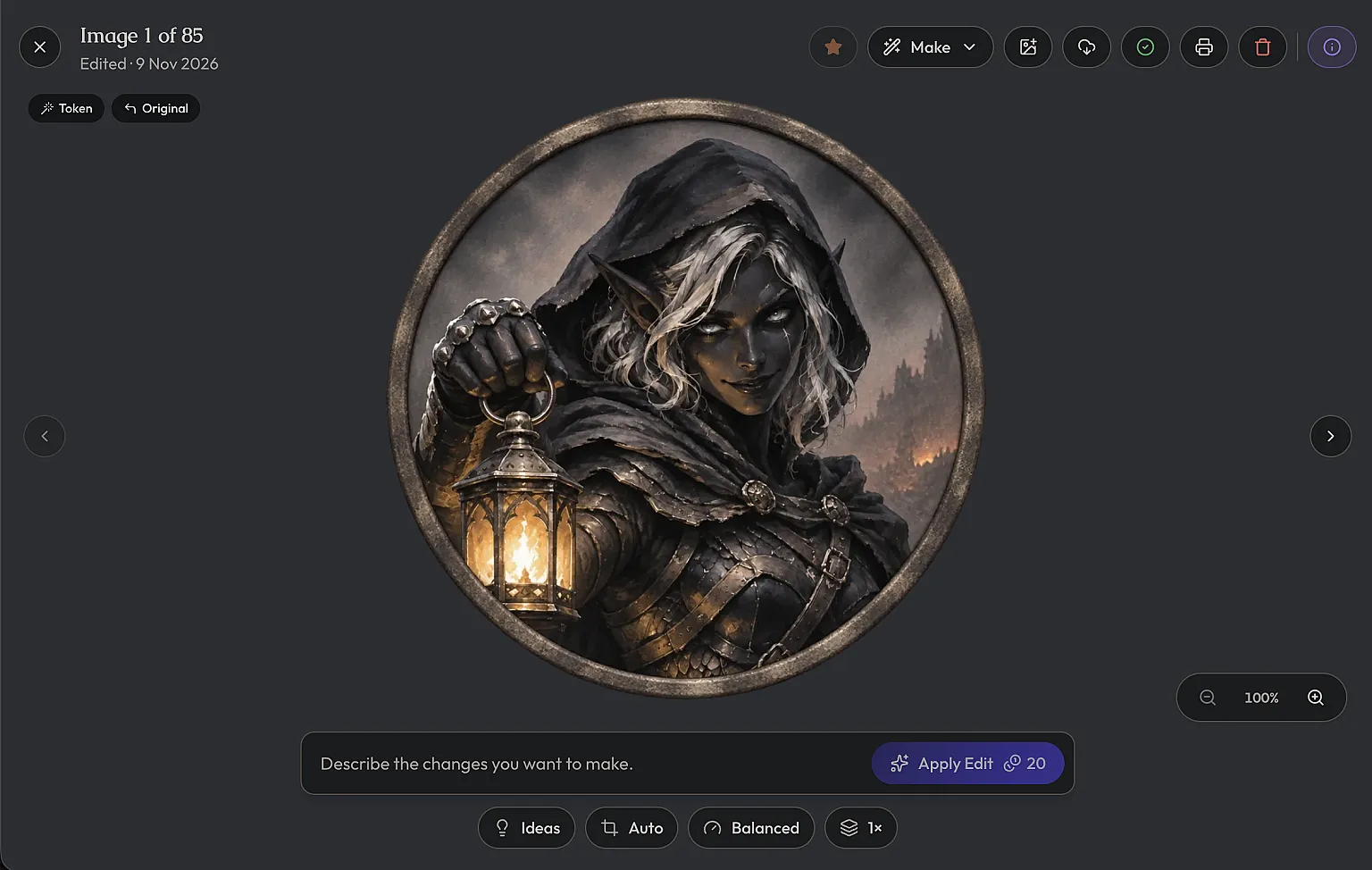
You can edit or upscale a token like any other picture and it stays a token. Open the token and you'll see Print token next to Add to print batch. It takes you straight to the next step with that picture picked.
Print one creature's tokens
For a single character, this is the quick route. Open the creature's Print tab and choose Tokens. If the creature has no token picture yet, the page tells you so and has a Go to Artwork button to take you back. If it has more than one, use Change under Token picture to choose which one prints.
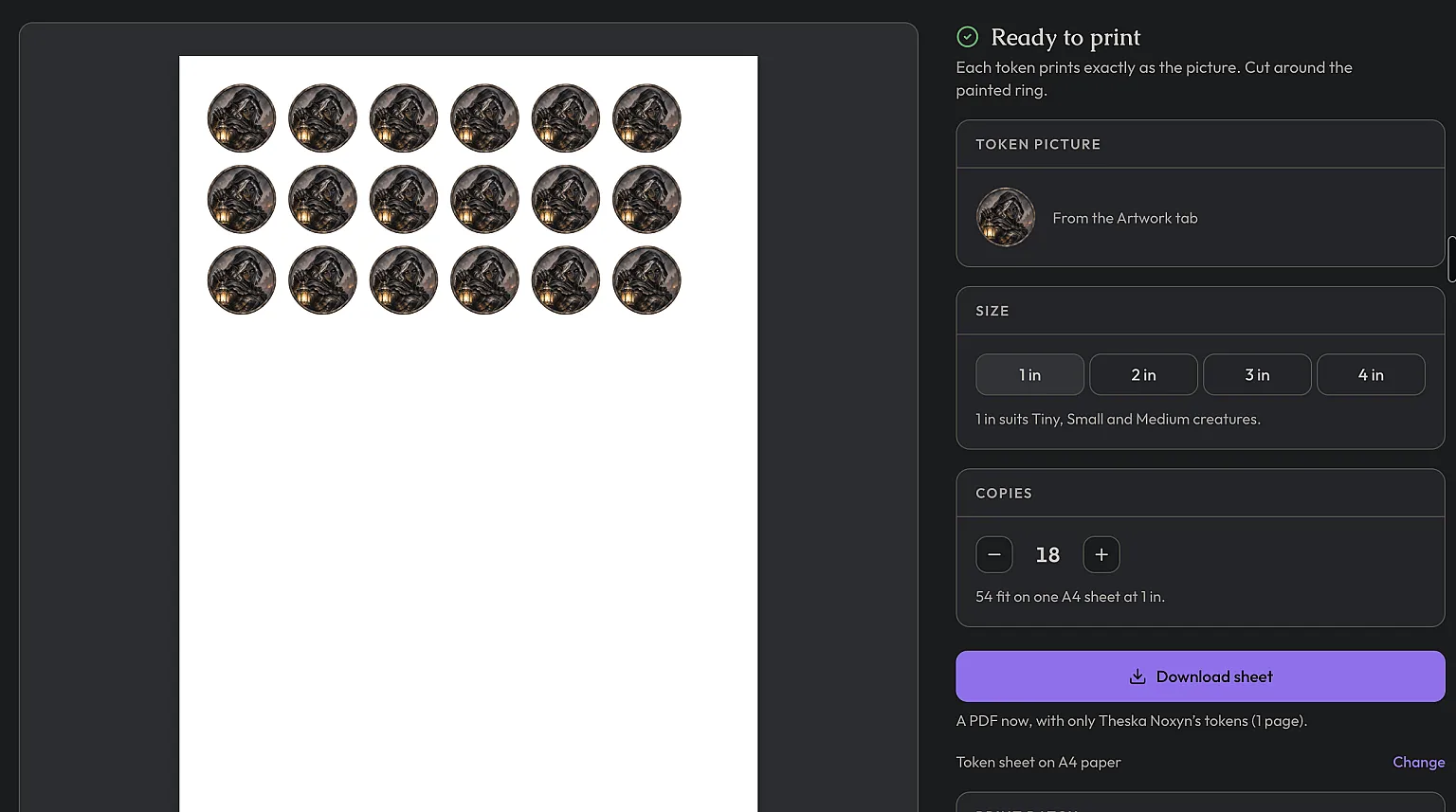
Size
Sizes run 1 in, 2 in, 3 in and 4 in, one grid square per inch. If the creature has a stat block, the size is already set from it. Tiny, Small and Medium creatures get 1 in, Large gets 2 in, Huge gets 3 in and Gargantuan gets 4 in. Change it if you play it differently at your table.
Copies
Set how many you want, up to 30. That's for the goblin warband, or the five identical cultists your players will refuse to fight one at a time. The hint below tells you how many fit on one sheet at that size.
Download sheet
Press Download sheet and you get a PDF with just this creature's tokens on it. It doesn't touch the print batch below.
Gather a whole encounter in the print batch
Printing one creature per sheet wastes a lot of paper once you're prepping a full encounter. The print batch collects tokens from all your creatures and packs them onto shared sheets in one PDF.
There are two ways to put a token in it.
From the Tokens print
Set the size and copies on a creature's Tokens print as above, then press Add to print batch instead of downloading. It goes in with the size and copies you chose. If that picture is already in the batch, your copies are added to it and it takes the new size. The Print batch section underneath shows what's in the batch so far.
From the artwork viewer
Open any token picture of a creature and press Add to print batch. On a smaller laptop screen it's an icon with a tooltip, and on a phone it's in the overflow menu. This adds one copy at the creature's default size, which is the fast way to grab a handful of monsters. The button then changes to In print batch so you can see what you've already added, and pressing it takes you to the batch.
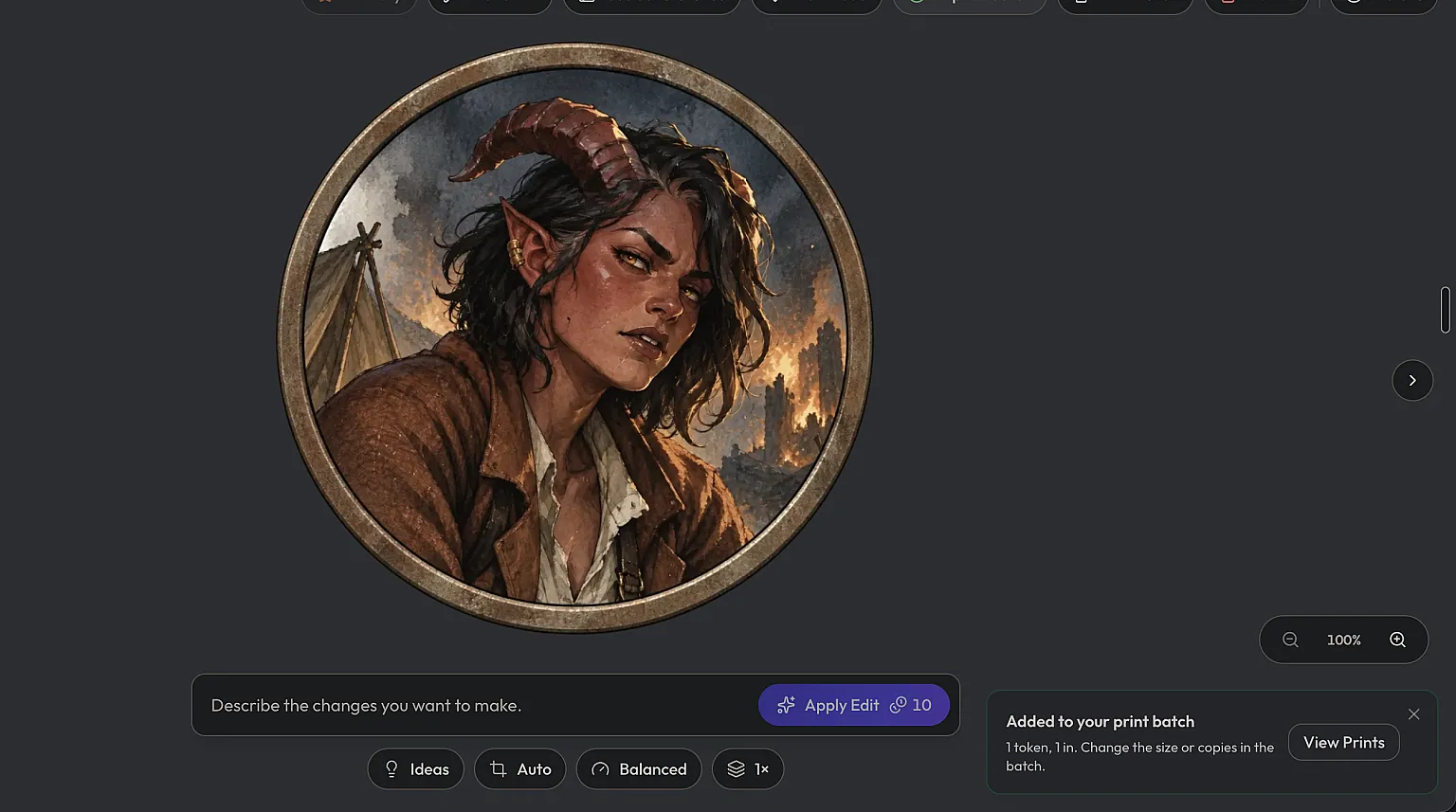
Either way, the toast has a View Prints button. You can also find Prints in the menu, next to Media. Its badge shows how many different tokens are in the batch.
Set up the batch on the Prints page
The Prints page lists every token in the batch, one row each. Each row has its own size and copy count, so the ogre can be 2 in while the goblins stay at 1 in. Changes save as you make them. The trash button removes a row.
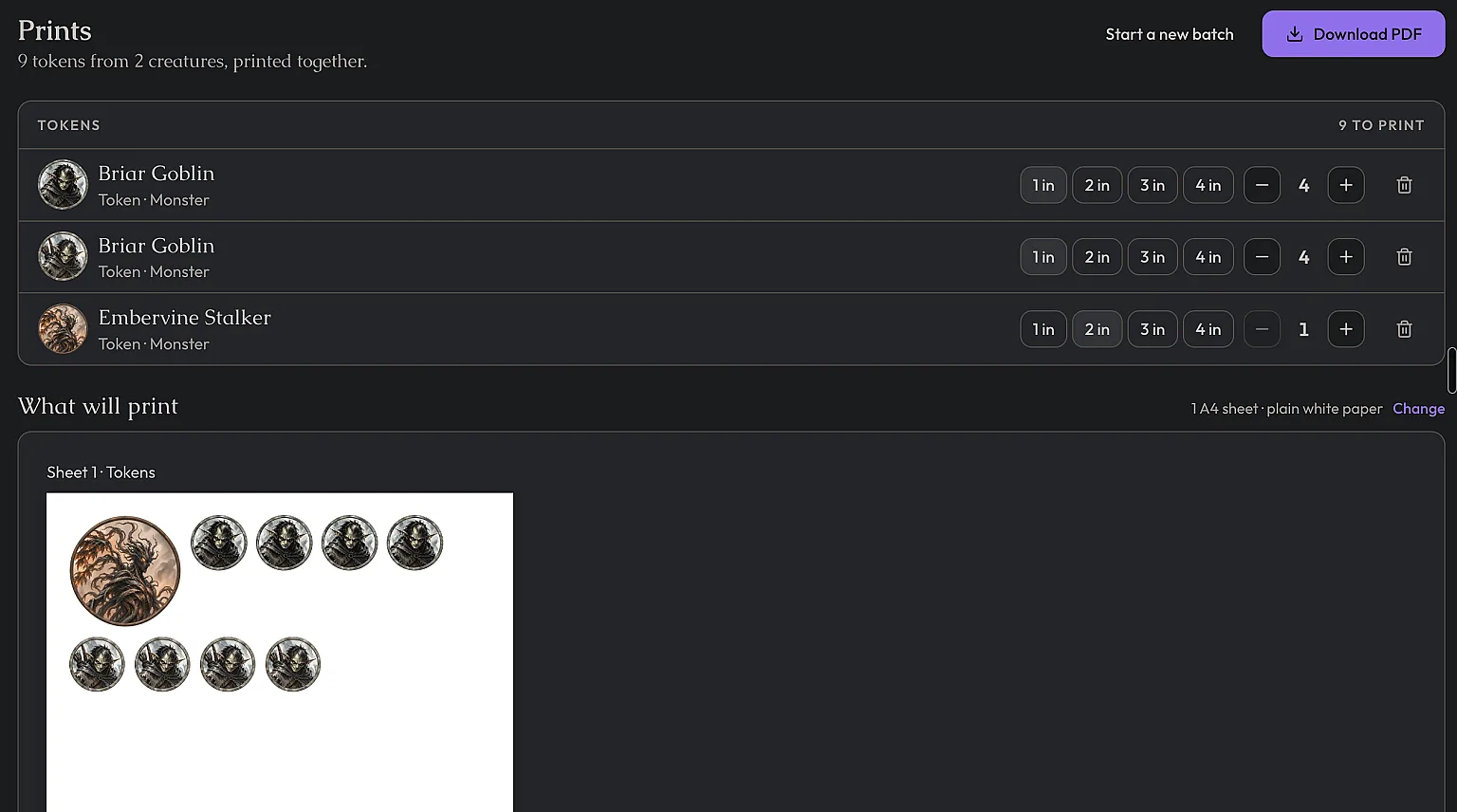
Under What will print you see every sheet as it'll come out. The biggest tokens go down first and the smaller ones fill the gaps around them, so the sheets won't follow the order of your list. That's on purpose. It uses less paper.
A batch holds up to 20 different pictures and 200 tokens in total, which is plenty for most nights.
Paper size
Beside What will print, the paper line has a Change link. Pick A4 or US Letter. It's saved as your default for every print, and you can also set it in Settings under Printing & PDFs.
Download and print at true size
Press Download PDF. It takes a few seconds to make, then you get one file with every sheet in it.
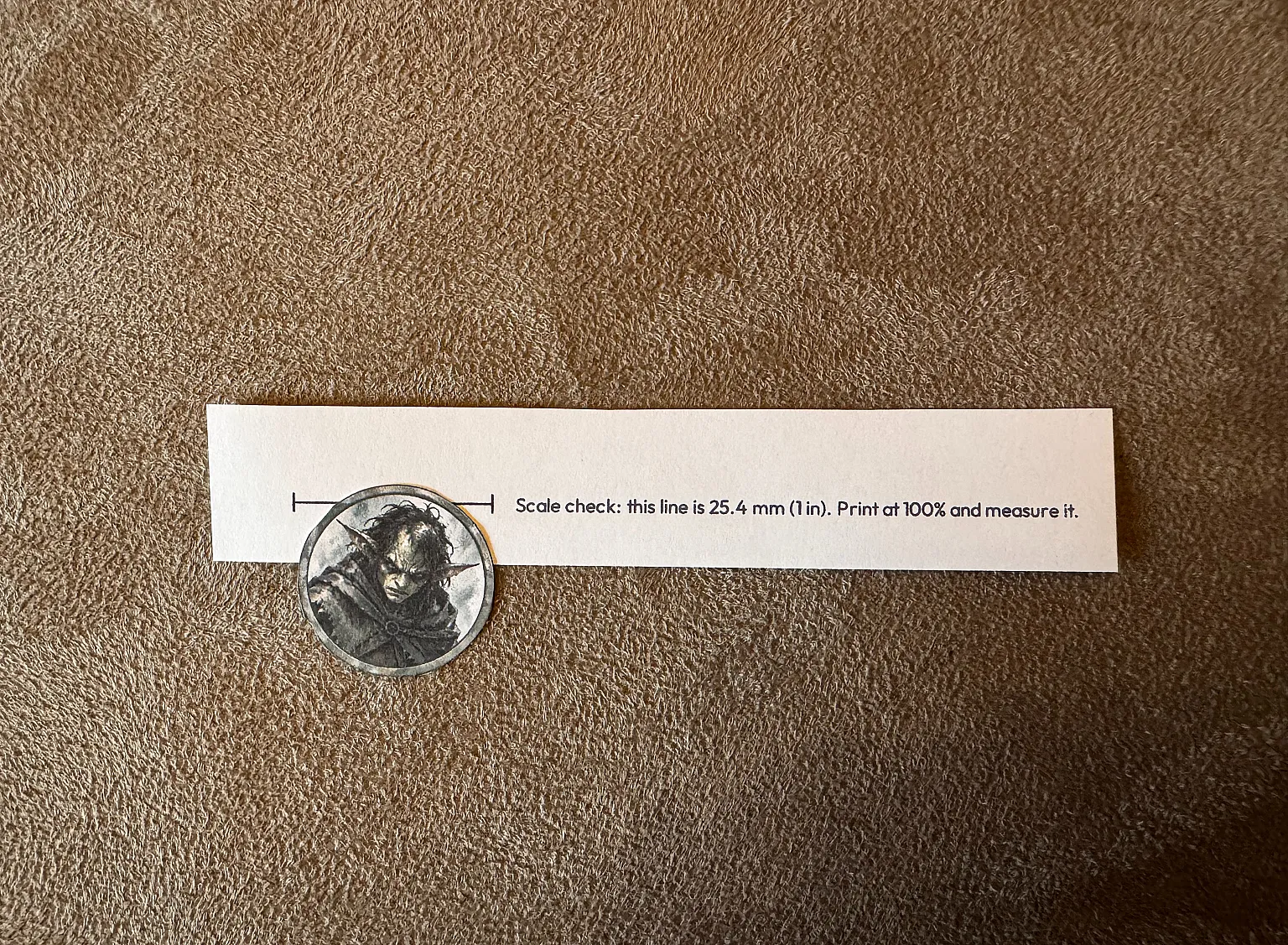
When you print it, set the scale to 100% or Actual Size. "Fit to page" shrinks everything and your 1 inch tokens won't fit the grid any more. Every page has a scale bar in the bottom margin that reads "Scale check: this line is 25.4 mm (1 in). Print at 100% and measure it." Measure it on the first page before you print the rest.
Starting the next batch
Downloading from the Prints page marks the batch as printed. When you're done, press Start a new batch on the Prints page. A printed batch is kept and a new, empty one opens. If you never printed it, starting a new one removes everything in it, so the dialog tells you which will happen before you confirm.
Cut them out
The PDF has no cut lines. Each token is printed exactly as the picture, so cut around the painted ring. There's a small gap between tokens to give your scissors room.